How to convert RAR to ZIP, or any archive to another format
Converting an archive means extracting it and packing the files again in the target format. Haven Zip does both steps on your device: open the source, choose the target, download the result.
Steps
- 1
Open the source archive
Drop the RAR (or 7z, TAR.GZ, ISO, CAB…) into the Extract tab as usual. If it is password-protected, enter the password when asked so the files can be read.
- 2
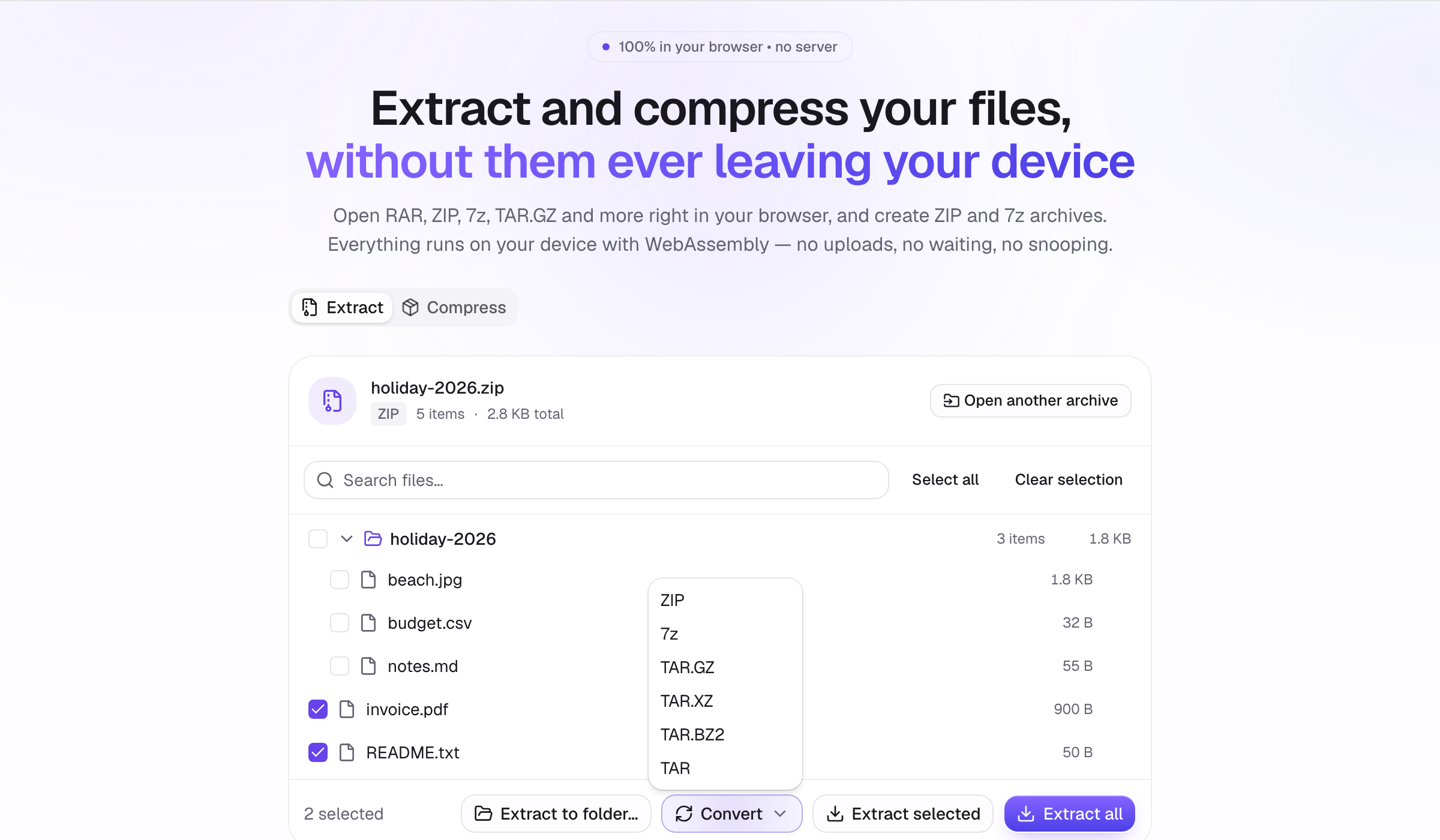
Choose Convert and the target format
Click the Convert button above the file list and pick ZIP, 7z, TAR.GZ, TAR.XZ, TAR.BZ2 or TAR. Extraction progress is shown first, then a Preparing archive… phase while the new archive is built.
- 3
Download
The converted archive downloads automatically with the same base name and the new extension, e.g. photos.rar becomes photos.zip.
Tips
- RAR cannot be created (it is proprietary), only opened; ZIP or 7z are the portable choices.
- For the smallest result choose 7z; for something anyone can open choose ZIP.
- Folder structure and file dates are kept during conversion.