How to extract many archives at once
Downloaded a folder of ZIPs from a client? Drop them all at once and Haven Zip processes them one after another without you clicking through each.
Steps
- 1
Queue the archives
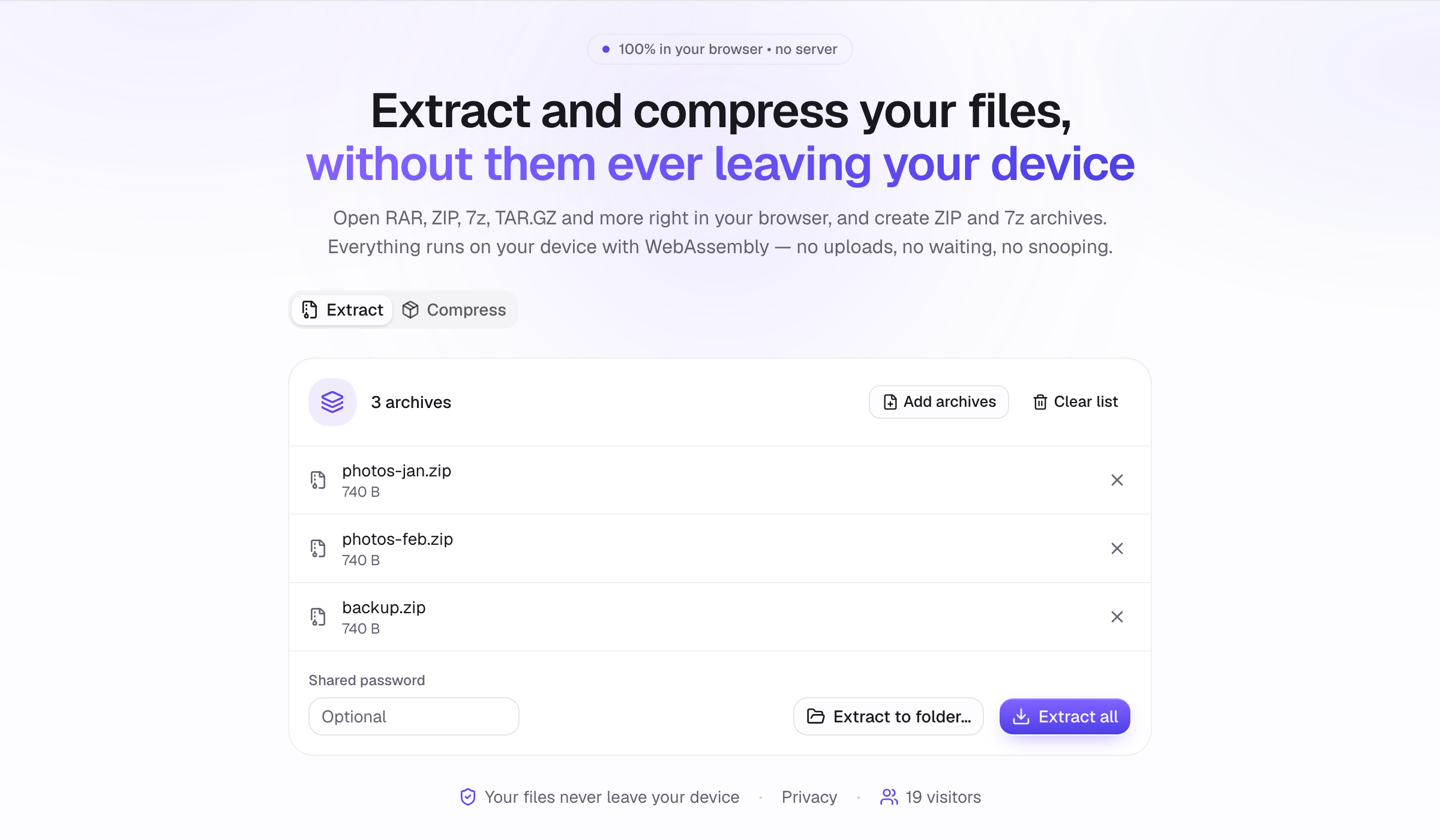
Drop all the archives onto the Extract area at once (or choose several files); a queue appears. Add archives adds more. Mixed formats are fine: ZIP, RAR, 7z and TAR.GZ in the same queue. Each row shows the file, its size and a status.
- 2
Set a shared password if needed
If all the archives use the same password, enter it once in the password field; it is tried on every archive that asks for one.
- 3
Extract all
Click Extract all. Every file of every archive downloads individually, in order. On Chromium browsers Extract to folder… writes each archive into its own subfolder of a destination you pick once. Rows turn green when done and red with a reason if an archive could not be opened; you can fix the password and retry only the failed ones.
Tips
- Every archive goes through the same engines as a single one, so every supported format works.
- Cancel stops after the current archive; already-delivered files stay.
- Remove a row before starting if you added something by mistake.